Thanks to everyone who’s tried BitTorrent Surf Alpha for all the early input and great feedback. We’re already hard at work addressing some of your questions. First up: Windows 8. Windows 8 restricts NPA APIs from being installed. However, BitTorrent Surf will work with Windows 8. Here’s what you need to do:
1) Switch to desktop mode
2) Right click on the Chrome Shortcut to display its context menu
3) Click on “properties” at the bottom of the context menu
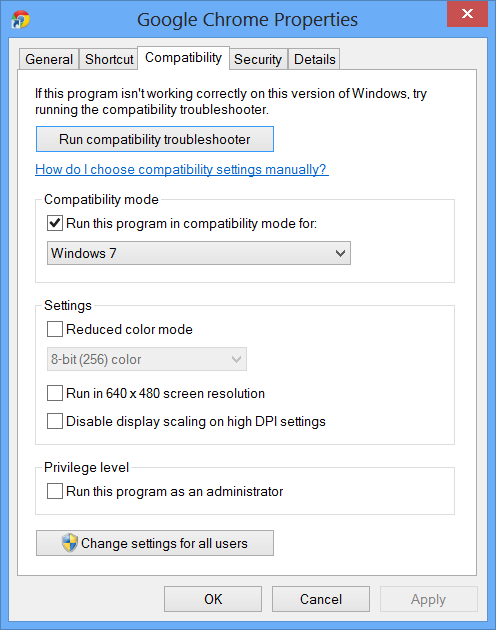
4) Select the Compatibility tab
5) check the box for “run this program in compatibility mode for”
6) Select Windows 7
Please give it a try and let us know what you think.